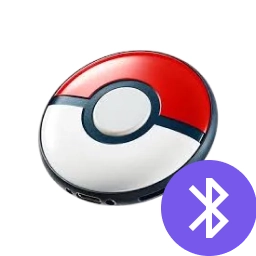


Location Changer > Pokémon Go Auto Catcher

iAnyGo Pokémon GO Auto Catcher

World's First
No Hardware Required! Support Bluetooth auto catch & auto spin PokéStops in the official POGO app

Auto-Throw to Catch nearby Pokémon

Auto spin PokéStops & Gyms to restock items

Bluetooth auto catch in the background

Multiple devices supported

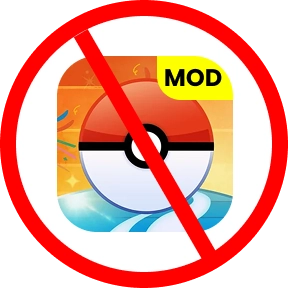
No modded Pokémon GO app required

Automatic catcher for iPhone & Android

Pokémon

What Trainers Are Actually Catching

This section shows how the iAnyGo Pokémon GO Auto Catcher performs in real gameplay. It is based on aggregated user feedback and community discussions from Pokémon GO players.

2M+

Pokémon caught by all users
2M+

3K+ in one session

Top single-session Pokémon


3K+
90

~90 Pokémon /hour during active sessions

up

40M+

Items collected by all users
40M+

10K+ items

Top single-session items
10K+
300

~300 items / hour from regular play
What Is iAnyGo's Pokémon GO Auto Catch?

A Bluetooth-based auto catcher that works in the background.

Catch Pokémon Automatically

  • Catch nearby Pokémon without tapping the screen
  • Ideal for commuting, walking, or background play
  • Uses Poké Balls within Pokémon GO rules

Auto Spin PokéStops for Items

  • Perfect for long sessions or event grinding
  • Automatically spin nearby PokéStops & Gyms
  • Maintain a steady supply of Poké Balls and items

Background Catching
without Tapping

  • One-time Bluetooth pairing
  • Catch and PokéStop spin result summaries
  • Stable connection for long background sessions

Is Pokémon GO Auto Catch Safe?

Yes, auto catching already exists in official Pokémon GO gameplay through Bluetooth accessories.

safe

No Pokémon GO game files are modified

safe

Safety depends on play behavior (speed, distance, session length)

safe

No injected scripts or third-party game builds are used

safe

Responsible use and realistic movement patterns are strongly recommended.

safe

This is not a script or bot. The auto catch tool acts as a Bluetooth-based companion that triggers catching and PokéStop spinning automatically while you control your in-game location.

What Trainers Are Actually Catching

Feature iAnyGo Auto Catch Pokémon GO Plus Pokémon GO Plus +
Pokémon catch alerts yes yes yes
Poké Ball usage Auto Manual Auto
Auto spin PokéStops yes Manual yes
Sleep tracking no no yes
Rechargeable Not required No (battery-powered) Yes (USB-C)
Pikachu sound alerts no no yes
Multi-device usage Yes (non-simultaneous) no no
Bluetooth device required no yes yes
Location change yes no no
Route simulation yes no no
Software updates yes no no
Most Recommend

iAnyGo Auto Catch

yes

Auto

yes
no

Not required

no
no
no
yes
yes
yes

iAnyGo vs Pokémon GO Plus Plus (Comparison)

Play Where Pokémon Spawn

Play Where Pokémon Spawn More

  • Teleport to high-density spawn areas.
  • More Pokémon appear around you.
  • Catch more with less effort.

Auto Catch While Routes Run

Play Where Pokémon Spawn More

  • Teleport to high-density spawn areas.
  • More Pokémon appear around you.
  • Catch more with less effort.

Farm Stardust & Items Efficiently

Farm Stardust & Items Efficiently

  • Teleport to high-density spawn areas.
  • More Pokémon appear around you.
  • Catch more with less effort.

Less Tapping Longer Sessions

Play Where Pokémon Spawn More

  • Teleport to high-density spawn areas.
  • More Pokémon appear around you.
  • Catch more with less effort.

5 Steps for Using Tenorshare iAnyGo

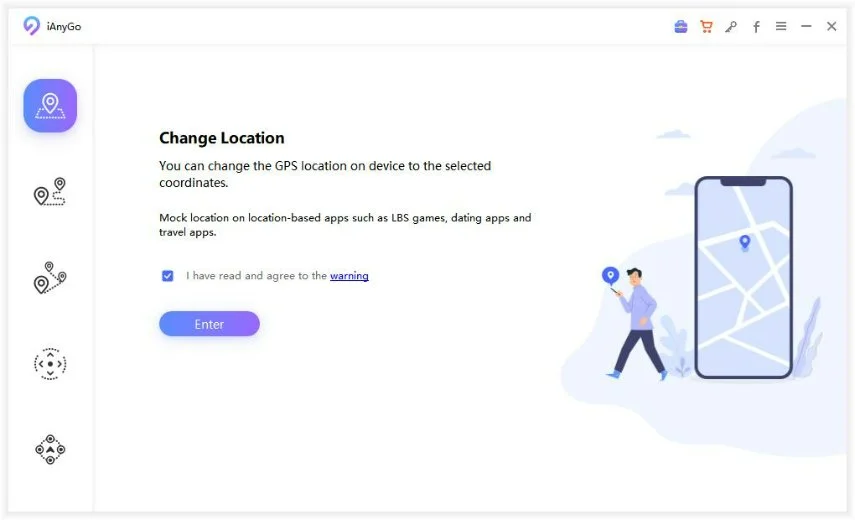
  • Step 1

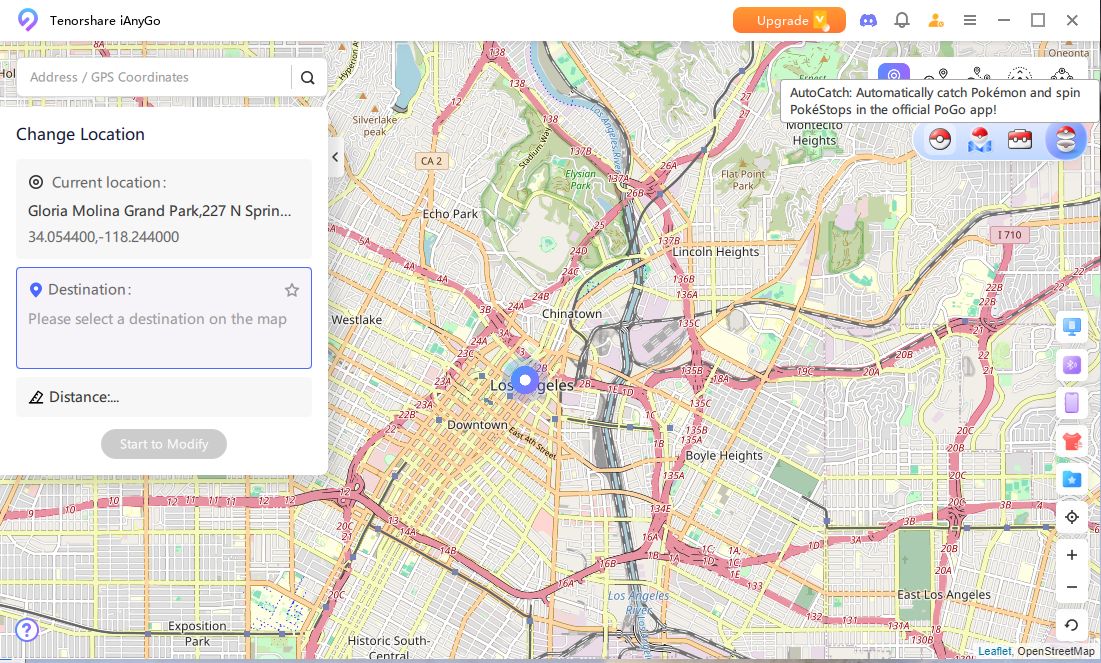
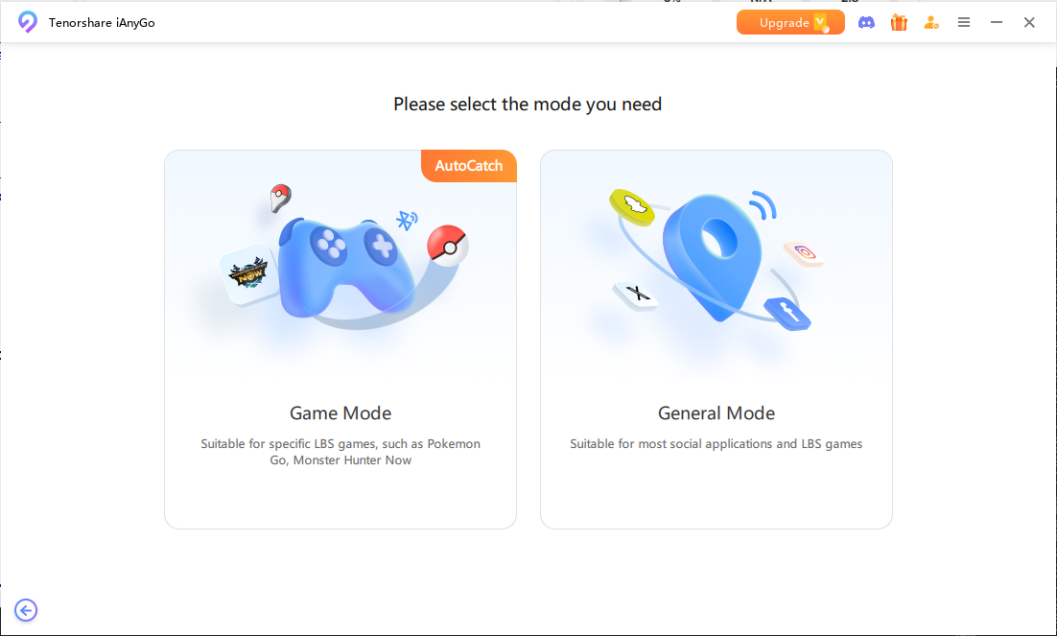
    Launch iAnyGo and select 'Change Location' mode.

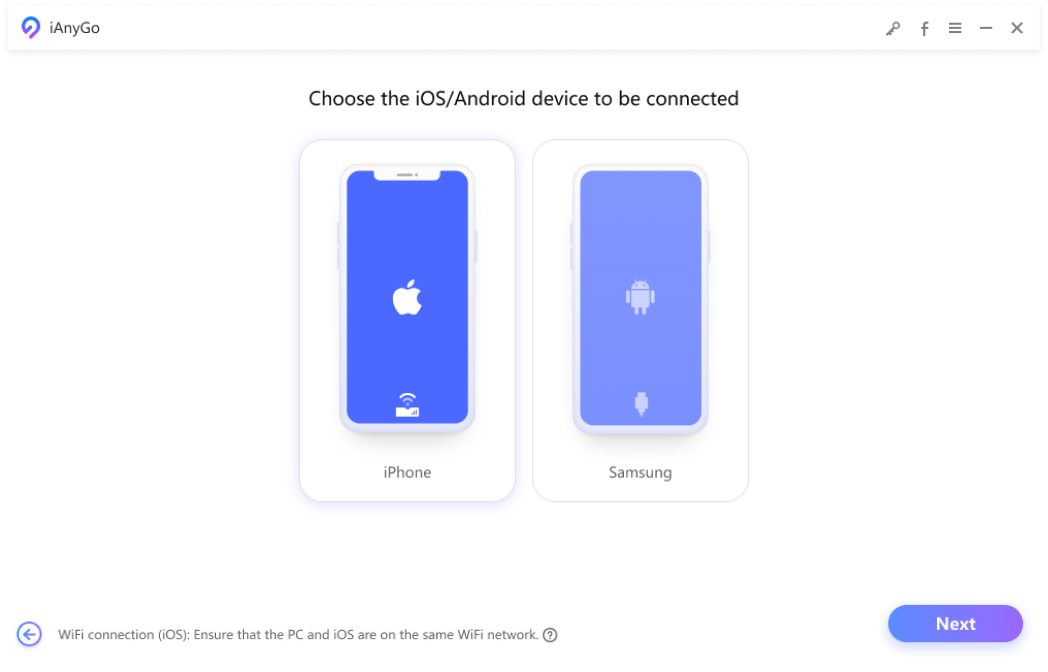
  • Step 2

    Connect your iPhone or Android to the computer.

  • Step 3

    Select “Game Mode” to activate auto-catch.

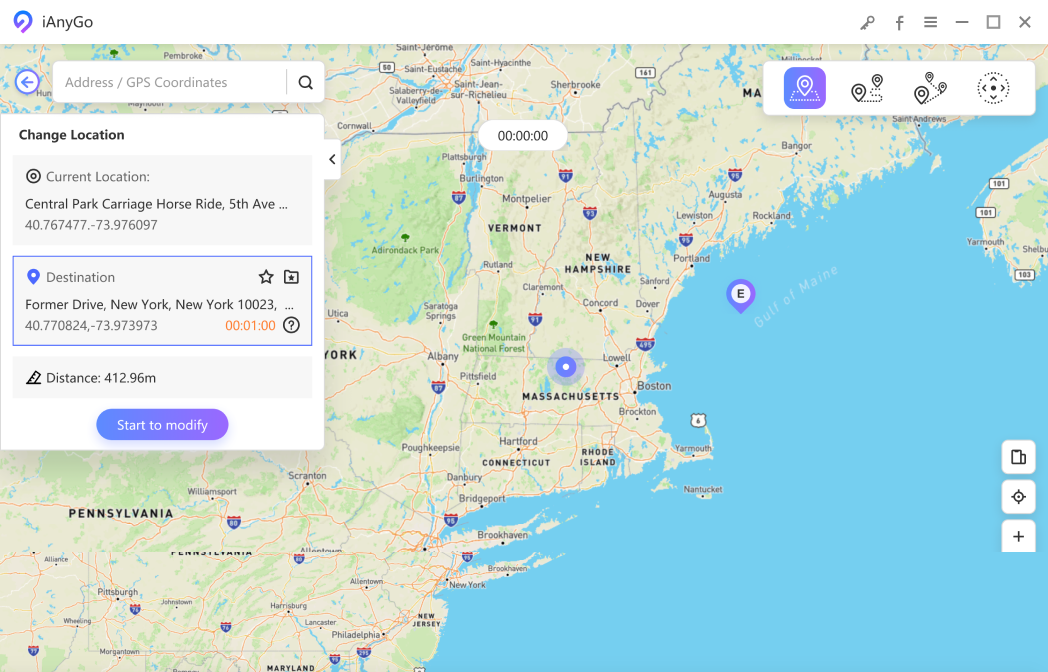
  • Step 4

    Select a location on the map and start to modify.

  • Step 5

    Pair iAnyGo Auto-Catch with Pokémon GO App.

step1
step2
step3
step4
step5

Tips for iAnyGo Pokemon Go Auto Catcher Players

Tips for New Players

Start with longer background sessions.

Having enough Poké Balls and available storage helps reduce missed catches during continuous use.

Keep your item bag prepared.

Having enough Poké Balls and available storage helps reduce missed catches during continuous use.

Focus on overall progress.

Auto Catch is designed to accumulate Pokémon and items steadily instead of guaranteeing specific results.
partition partition

Tips for New Players

Start with longer background sessions.

Long routes and routine walks tend to produce more consistent outcomes than manual spot checks.

Optimize for efficiency, not rarity.

Auto Catch works best for farming common spawns and items, while rare encounters are better handled manually.

Review results over time.

Evaluating performance across multiple sessions provides a clearer picture than judging individual runs.

Frequently Asked Questions

Yes. Auto catch can continue collecting items and catching nearby Pokémon even when Pokémon GO is running in the background or your screen is off, as long as the Bluetooth connection remains active.

Auto spin may stop working due to common in-game conditions, such as a full item bag or unstable network connection. Clearing space in your item bag and checking your connection usually resolves the issue. If problem not solved, please contact iAnyGo customer support to fix.

Yes. iAnyGo Auto Catch works on both iOS and Android devices running the latest supported system versions.

Yes. Auto catch still requires Poké Balls. You can restock them by auto spinning nearby PokéStops before or during auto catching.

Yes. Auto catch and auto spin can be used during Pokémon GO events, making it easier to collect Pokémon and items during limited-time activities.

To connect iAnyGo Auto Catch via Bluetooth, launch iAnyGo on your computer, connect your phone, enable Bluetooth, and pair the auto catch feature in Pokémon GO. Once connected, auto catch and auto spin will run in the background.

bottom banner bottom banner bottom banner

Join Our Discord Community

Get instant support, exclusive tips, and connect with other LBS Game users in our active Discord community.

30k+ active members
Join Discord Server

Follow Us On Social Media